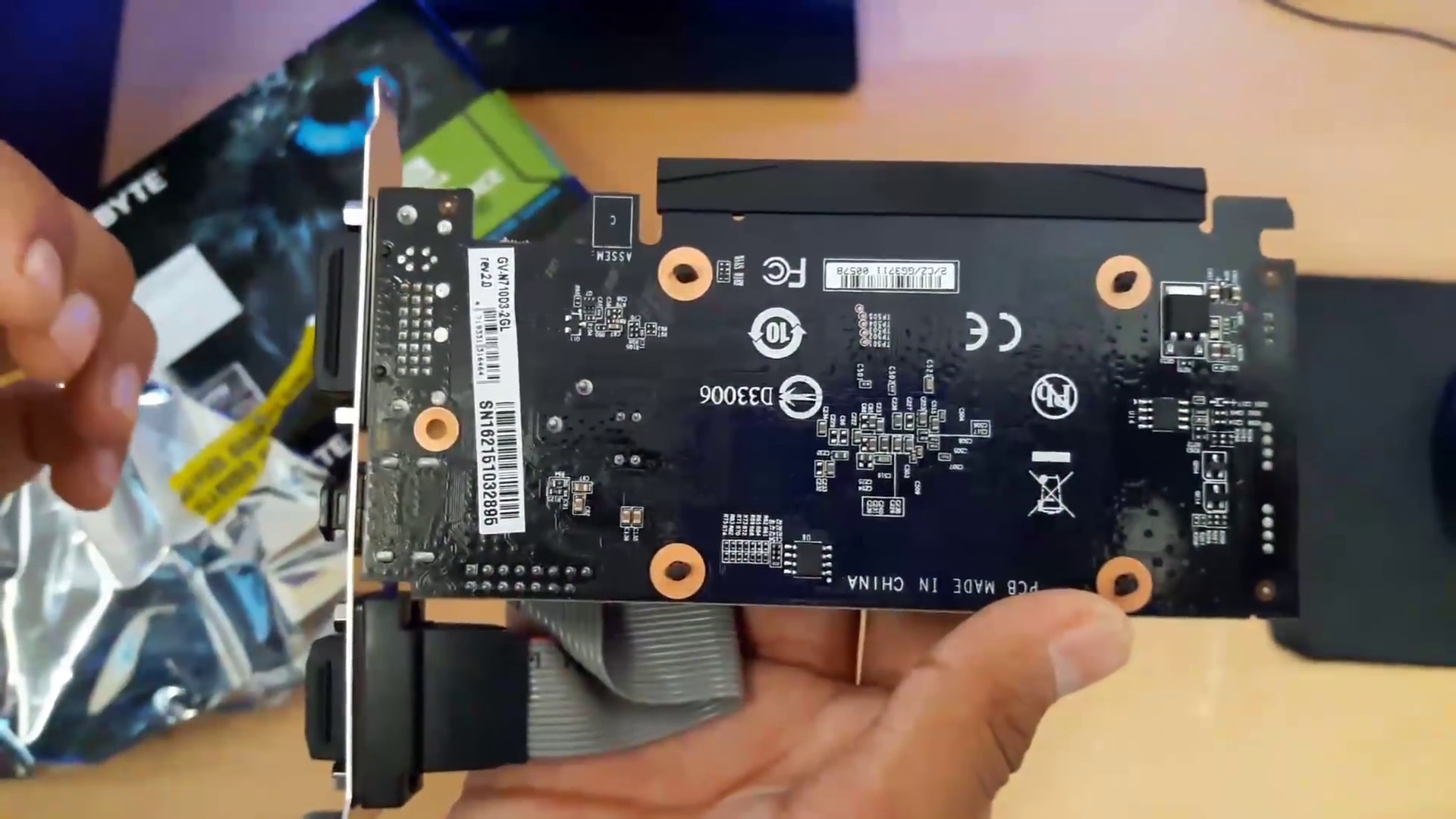
eGPUs have always promised desktop-class graphics from a thin laptop, and for years the promise fell flat. A Thunderbolt 4 connection maxed out at roughly 3 GB/s, and those four PCIe lanes starved even mid-range desktop cards of data. Thunderbolt 5 changes the math. It delivers up to 80 Gbps of symmetric bandwidth, nearly doubling the throughput of its predecessor, and testing on the Razer Blade 18 confirms it finally beats a laptop's built-in mobile GPU at 1440p when the display connects directly to the enclosure (NoobFeed, 2026).
That is genuine progress. But it comes with caveats that matter. The total cost of a Thunderbolt 5 eGPU setup still runs well north of $500 once you factor in the enclosure, a desktop GPU, and a power supply. Compatibility remains fragmented across operating systems, BIOS versions, and connector standards. And mobile GPUs themselves have gotten so capable that the performance gap an eGPU needs to justify its price has shrunk dramatically. Thunderbolt 5 makes eGPUs viable again, but viable is not the same as recommended for everyone.
Does Thunderbolt 5 actually fix the bottleneck?
Thunderbolt 5 offers two bandwidth modes: a symmetric mode up to 80 Gbps and a boost mode up to 120 Gbps. The 120 Gbps figure gets the headlines, but it does not apply to eGPUs. The internal controller is restricted to 64 Gbps for external devices, which is essentially the same ceiling as OCuLink's PCIe 4.0 x4 connection (MakeUseOf, 2026). So while Thunderbolt 5 is a major leap over Thunderbolt 4's 40 Gbps cap, it does not match what a raw PCIe slot delivers.
In practical terms, the extra bandwidth means fewer frames lost to the cable. At 1440p, NoobFeed's testing showed Thunderbolt 5 with an external monitor achieving higher average FPS than the laptop's built-in RTX 5090 mobile GPU. That is a first for the Thunderbolt standard. At 1080p, the built-in GPU still wins because the CPU-to-GPU data transfer is small enough that bandwidth does not become the bottleneck. At 4K, the gap widens further in favor of the eGPU, since higher resolutions push more data through the connection and the desktop card's raw horsepower pulls ahead.
| Resolution | Built-in GPU | Thunderbolt 5 eGPU |
|---|---|---|
| 1080p | Wins (CPU-bound games) | Slightly behind |
| 1440p | Better 1% lows | Higher average FPS |
| 4K | Falls behind noticeably | Faster (desktop GPU dominates) |
How does it perform in real games?
NoobFeed tested nine games across three resolutions using a Razer Blade 18 with both Thunderbolt 4 and Thunderbolt 5 ports, paired with a Razer Core X V2 enclosure. The results tell a nuanced story. At 1080p, the laptop's built-in RTX 5090 mobile GPU outperformed all Thunderbolt-based eGPUs across the nine-game average. At 1440p, the results flipped: Thunderbolt 5 with an external monitor achieved higher average FPS than the built-in GPU, though the laptop kept tighter 1% lows, meaning fewer sudden stutters (NoobFeed, 2026).
At 4K, the built-in mobile GPU began to fall behind significantly. Even Thunderbolt 4 with a desktop GPU was faster than the laptop's own chip at this resolution. Thunderbolt 5 added roughly 6% over Thunderbolt 4 at 4K, while PCIe Gen5 connections came closest to full desktop performance. The key takeaway is that eGPUs shine brightest when you push high resolutions where the desktop GPU's extra compute matters more than the cable's bandwidth limit.
Thunderbolt 5 vs OCuLink vs PCIe M.2 — which connection wins?
Three main pathways exist for connecting an external GPU to a laptop, and each has trade-offs. Thunderbolt 5 offers the most convenient experience: hotplug support, a single USB-C cable, and up to 140W of laptop charging. OCuLink delivers the same 64 Gbps bandwidth as Thunderbolt 5's eGPU limit but lacks hotplug entirely, meaning you cannot connect or disconnect it while the system is running. PCIe M.2 adapters bypass the Thunderbolt controller entirely and connect directly to the motherboard's PCIe lanes, offering the lowest latency and highest raw throughput (MakeUseOf, 2026).
- Thunderbolt 5: 64 Gbps to eGPU, hotplug support, single cable, charges laptop up to 140W
- OCuLink: 64 Gbps (PCIe 4.0 x4), no hotplug, requires reboot to connect or disconnect
- PCIe M.2: Full PCIe 4.0 x4 or x8 bandwidth, lowest latency, requires opening the laptop chassis
- USB4 v2: Same specs as Thunderbolt 5 on paper, available on AMD systems without Intel licensing
PCIe M.2 adapters like the ADT-Link F43SG-BK7 offer the best raw performance, roughly 12% faster than Thunderbolt 5 in NoobFeed's testing. But they demand that you sacrifice an M.2 SSD slot, leave the laptop's bottom panel open, and power down every time you connect or disconnect. For most people, the convenience of Thunderbolt 5 outweighs the performance gap. USB4 v2 is a viable alternative for AMD systems, offering the same bandwidth specs as Thunderbolt 5 without Intel's stricter certification requirements.
How much does a full eGPU setup cost in 2026?
The enclosure is just the beginning. A Thunderbolt 5 eGPU dock like the Razer Core X V2 costs around $350 on its own, and it does not include a power supply or GPU. Add a mid-range desktop GPU like the RTX 5070 at roughly $550, a 650W ATX power supply for $80, and you are looking at close to $1,000 before you even consider the laptop you are plugging into. That math gets worse if you want a flagship card.
By comparison, the TREBLEET Thunderbolt 3 Mini enclosure is available for around $149, though it maxes out at Thunderbolt 3 speeds and supports triple-slot GPUs only. For budget-conscious buyers, last-gen Thunderbolt 4 enclosures remain significantly cheaper and provide what most reviewers call good-enough performance for 1080p and 1440p gaming (HowToGeek, 2026). The premium for Thunderbolt 5 enclosures is hard to justify unless you specifically need the extra bandwidth for 4K or high-refresh-rate displays.
Who should buy an eGPU (and who should not)?
eGPUs make the most sense for professional users with specific workloads. Offline rendering in Blender, DaVinci Resolve, or similar tools loads data into VRAM once, then the GPU crunches at full speed regardless of the cable's bandwidth. AI and machine learning workloads that fit entirely within the card's VRAM also perform well, and multiple people can share a single eGPU on a network or in a studio. The limited bandwidth affects only initial data transfer, not ongoing computation (HowToGeek, 2026).
For gamers, the calculus is different. A gaming laptop with a built-in RTX 5090 mobile GPU now performs almost identically to a desktop RTX 4070 Ti Super at 1440p and 4K in demanding titles like Cyberpunk 2077, Black Myth: Wukong, and Alan Wake 2 (Notebookcheck, 2026). When your laptop's own GPU already matches a $600 desktop card, paying $500 to $1,000 for an eGPU enclosure plus GPU to gain 10-20% more frames becomes a hard sell. The exception is laptop owners with weaker integrated graphics or older dedicated GPUs who want a significant upgrade without buying a whole new machine.
eGPUs have always been an expensive and often overengineered solution to an age-old problem — being able to dock a portable device to a TV and turn it into a gaming beast.
— MakeUseOf
The compatibility problem: why eGPUs still feel fragile
The eGPU ecosystem remains deeply fragmented. To get one working, you need a laptop with the right connectors, a BIOS that supports external GPUs, an operating system that handles hotplug correctly, and an enclosure compatible with all of the above. When a new connection standard arrives, you might have to replace everything except the GPU itself to take advantage of it. Game crashes and stability issues are also more common with eGPUs than on a desktop or a laptop with a dedicated GPU (HowToGeek, 2026).
Thunderbolt 5 helps by standardizing the connection, but adoption is slow. Intel-based laptops are shipping with TB5 ports now, but AMD systems rely on USB4 v2, which has its own certification quirks. macOS support for eGPUs has been inconsistent since Apple dropped official eGPU support after the transition to Apple Silicon. Linux support exists but requires manual configuration and driver management. If you want a plug-and-play experience, Thunderbolt 5 is the closest eGPUs have ever gotten, but closest still means you should budget time for troubleshooting.
Are gaming laptops finally good enough to skip eGPUs?
The gap between mobile and desktop GPUs has narrowed to the point where eGPUs struggle to justify themselves for gaming. Notebookcheck's benchmarks show the mobile RTX 5090 performing within single-digit percentage points of the desktop RTX 4070 Ti Super in 3DMark Time Spy, and in actual games like Cyberpunk 2077 at 4K Ultra, the mobile chip actually beats the desktop 4070 Ti (Notebookcheck, 2026). Affordable gaming laptops with RTX 5070 or RX 9070 GPUs now match the performance of last generation's desktop RTX 3060 and 4060 cards.
For new laptop buyers, this means the decision is simpler than ever. A $1,500 gaming laptop with a built-in RTX 5070 delivers solid 1440p performance without any external hardware. Spend another $800 on an eGPU enclosure and a desktop RTX 5070 Ti, and you gain maybe 15-25% more frames at 1440p, depending on the game. That price-to-performance ratio does not make sense for most people. The better investment is usually a higher-tier laptop GPU from the start, or a separate desktop PC if you need serious horsepower.
The bottom line: progress, not a revolution
Thunderbolt 5 is the best connection standard eGPUs have ever had. It nearly doubles the bandwidth of Thunderbolt 4, supports hotplugging, and delivers enough performance to beat a laptop's built-in GPU at 1440p and above. For professionals with rendering or AI workloads, it is a genuinely useful tool. For gamers with older or weaker laptops, it can breathe new life into a machine without buying a whole new system.
But the high cost, compatibility friction, and the dramatic improvement in mobile GPU performance mean eGPUs remain a niche product. Unless you fall into one of those specific use cases, a modern gaming laptop or a desktop PC will serve you better for less money. Thunderbolt 5 eGPUs are worth watching as prices drop and adoption grows, but for now, they are a solution looking for a broader audience.
Sources and further reading
- NoobFeed — External GPUs for Laptops: Real-World Performance, Costs, and Upgrade Options in 2026
- MakeUseOf — Thunderbolt 5 finally makes eGPUs great — but it has one big, boring problem
- HowToGeek — eGPUs were supposed to fix gaming laptops, but bandwidth killed the dream
- Notebookcheck — GeForce RTX 5090 laptops perform almost identically to a desktop RTX 4070 Ti Super
- The GPU Buying Guide for 2026
- ARM Laptops Outship x86 for the First Time Ever
- The OLED Monitor Price Crash: Buy Now or Wait
Does Thunderbolt 5 make eGPUs worth buying?
It depends on your laptop. Thunderbolt 5 doubles bandwidth to 80 Gbps and beats a laptop GPU at 1440p and above, but enclosures cost $350+ and total setups run $500-1,000. If your laptop has a strong mobile GPU, the gain is only 10-20%.
Should I get an eGPU or a new gaming laptop?
For most people, a new gaming laptop is better value. A $1,500 laptop with an RTX 5070 delivers solid 1440p performance without external hardware. An eGPU makes sense for thin ultrabooks needing desktop-class rendering for creative work.
Can I use an eGPU with a Mac?
macOS support for eGPUs has been inconsistent since Apple dropped official support after transitioning to Apple Silicon. Intel Macs may work with certain enclosures, but Apple Silicon Macs have very limited eGPU compatibility.
Bottom line
But the high cost, compatibility friction, and the dramatic improvement in mobile GPU performance mean eGPUs remain a niche product. Unless you fall into one of those specific use cases, a modern gaming laptop or a desktop PC will serve you better for less money. Thunderbolt 5 eGPUs are worth watching as prices drop and adoption grows, but for now, they are a solution looking for a broader audience.
What we still don't know
This is a fast-moving story. We update the post as new facts land — and we'll flag it when we do.
Enjoyed this? Pay it forward
A sharp story is worth passing on. Share it with the people who read tech like it matters.