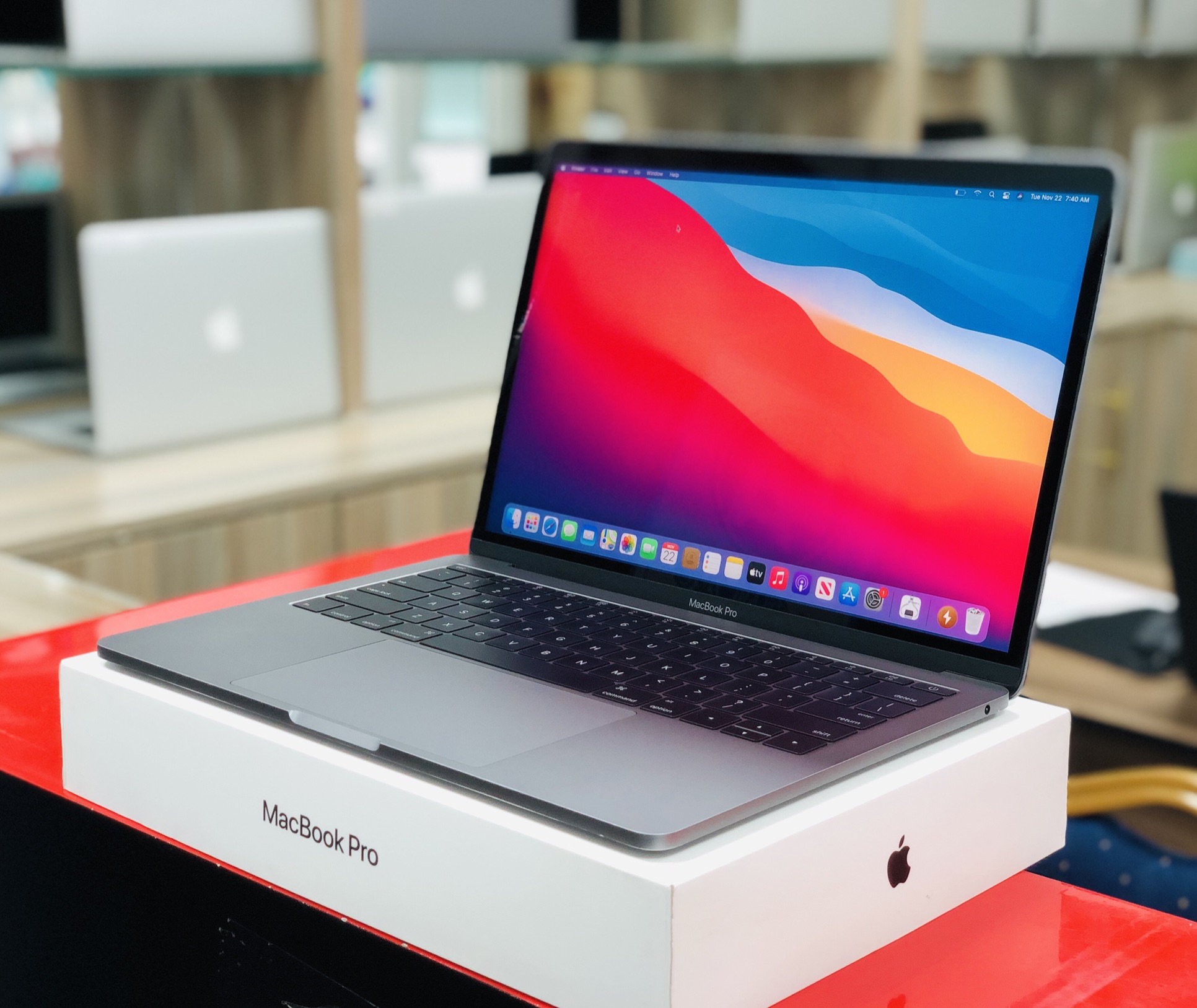
Apple claims up to 22 hours of video streaming and 14 hours of wireless web on the 14-inch MacBook Pro M5 Pro. Independent testing lands a little south of those numbers, but not by as much as you would expect. Tom's Hardware recorded 18.5 hours of continuous web browsing on the 14-inch model, two full hours longer than the M4 Pro equivalent (TechEngage, 2026). The most interesting detail is that the battery itself has not changed at all. Both the M4 and M5 MacBook Pro use an identical 72.4-watt-hour cell. Every efficiency gain comes entirely from the chip.
How long does the M5 Pro actually last?
Across a week of mixed editing and development work, one reviewer averaged about 11 hours and 40 minutes per charge, including DaVinci Resolve, VS Code, browser tabs, music, messaging, and video calls. Lighter office days stretched closer to 14 hours. Heavier editing and local AI work reduced battery life to around 8 to 9 hours. In normal use, the laptop comfortably completes a full working day without needing an outlet (thebytelab.com, 2026).
The 14-inch MacBook Pro ships with a 72.4-watt-hour lithium-polymer battery regardless of chip. The 16-inch model bumps that to 100 watt-hours. Apple's official ratings for wireless web browsing are 14 hours on the 14-inch M5 Pro and 17 hours on the 16-inch M5 Pro. For video streaming, those numbers climb to 22 and 24 hours respectively. Every model ships with MagSafe fast charging support: the 14-inch charges at 96 watts or higher, while the 16-inch requires 140 watts (Apple, 2026).
| Configuration | Battery Size | Apple Rating (Web) | Independent Test (Web) |
|---|---|---|---|
| 14-inch M5 Pro | 72.4 Wh | 14 hours | ~18.5 hours |
| 16-inch M5 Pro | 100 Wh | 17 hours | ~21 hours |
| 14-inch M5 Max | 72.4 Wh | 14 hours | ~17 hours |
| 16-inch M5 Max | 100 Wh | 16 hours | ~19 hours |
| Workload | Estimated Hours | Notes |
|---|---|---|
| Web browsing (continuous) | 18.5 hours | Wi-Fi, 50% brightness (TechEngage, 2026) |
| Light office work | ~14 hours | Docs, email, messaging (thebytelab.com, 2026) |
| Mixed creative work | ~11 hours 40 min | VS Code + Resolve + tabs (thebytelab.com, 2026) |
| Heavy video editing | 6-8 hours | DaVinci Resolve or Final Cut (TechEngage, 2026) |
| Local AI inference | 8-9 hours | LLMs or ML models on-device (thebytelab.com, 2026) |
Why is the battery better without a bigger cell?
The answer is race to idle. The M5 Pro is built on TSMC's N3P 3nm process, which delivers roughly 5% more performance at the same power draw, or a 5 to 10% reduction in power consumption at the same performance level compared to the M4's N3E process (TSMC, 2025). That means the M5 can finish tasks faster and drop back to low-power idle sooner. You save battery not because it sips less energy while working, but because it spends less time working at all.
The M5 Pro also pairs with faster unified memory and a quicker SSD than the M4 generation. Big files open faster, exports finish sooner, and heavy apps load in less time. Every one of those seconds adds up over a full day of work. The chip's efficiency cores handle lightweight tasks like email and messaging with minimal power draw, while the performance cores ramp up only when the workload demands it (imagetext.co.nz, 2026).
The M5 MacBook Pro doesn't last longer because Apple fitted a bigger battery. It lasts longer because the chip has gotten smarter about finishing work faster so it can rest sooner.
— imagetext.co.nz
How does the M5 Pro compare to Windows laptops?
The gap is stark. In Tom's Guide's battery test, the Dell 14 Premium with an Intel Core Ultra 7 lasted 8 hours and 16 minutes, while the 14-inch MacBook Pro M5 ran for around 18 hours in the same conditions. That is more than ten extra hours on a single charge, outlasting a premium Intel-based laptop at a similar price point by a margin you cannot write off as a rounding error (imagetext.co.nz, 2026).
The comparison widens when you look at sustained workloads. Intel's latest laptop chips still draw significantly more power under load than Apple's efficiency-focused design. A Dell XPS 14 with the same Intel Core Ultra 7 manages roughly 10 to 12 hours of light use before requiring a charge. The M5 Pro MacBook Pro comfortably clears 14 hours in the same scenario. For road warriors who need to work unplugged all day, the difference between 8 hours and 18 hours is not a nice-to-have. It changes what you can do with the laptop (imagetext.co.nz, 2026).
What about heavy workloads and video editing?
Under heavy, sustained workloads like long video exports or large code compiles, independent testing suggests the M5 draws slightly more power than the M4, but it also completes those jobs faster. In practice, total battery life ends up very similar: the M5 is not about doing the same work on less energy, it is about doing more work in the same energy window. Video editors running Final Cut Pro or DaVinci Resolve should expect 6 to 8 hours of active editing time (TechEngage, 2026).
Local AI inference is the one workload that genuinely drains the battery faster. Running language models or image generation on-device keeps the GPU and Neural Engine active for extended periods, which pulls the battery down to 8 to 9 hours. That is still respectable for a pro laptop, but it is noticeably shorter than the 14-hour office days you get from lighter tasks. If your workflow leans heavily on local AI, plan for a charger during long sessions (thebytelab.com, 2026).
How does the M5 Pro compare to the M4 Pro?
The M4 Pro MacBook Pro with the same 72.4-watt-hour battery delivered roughly 16.5 hours of web browsing in identical test conditions. The M5 Pro pushes that to 18.5 hours, a gain of about 2 hours or roughly 12% more endurance. The M4 Pro mixed-use average sat around 10 hours, compared to the M5 Pro's 11 hours and 40 minutes. Both chips use the same battery, so every bit of that improvement traces back to silicon efficiency (TechEngage, 2026).
The real gains show up in bursty workloads. Opening large Photoshop files, compiling Xcode projects, or exporting 4K video all complete faster on the M5 Pro because of its improved memory bandwidth and faster SSD controller. Those faster completions translate directly into less time at peak power draw and more time sitting at idle, which is where the battery savings accumulate. It is a compounding effect: faster work means shorter active periods means longer battery life overall.
Should you upgrade from an M4 Pro for battery life?
If battery life is your primary concern, the M5 Pro delivers a meaningful but not transformative improvement. Going from roughly 16.5 hours to 18.5 hours of web browsing adds about 2 hours of unplugged time. For mixed work, the jump from 10 hours to 11 hours 40 minutes is noticeable but not life-changing. The bigger gains come from the M5 Pro's faster memory, Thunderbolt 5 support, and improved GPU performance. Battery life is a welcome bonus, not the headline reason to upgrade.
If you are coming from an Intel MacBook or a Windows laptop, the difference is dramatic. Moving from 8 hours to 18 hours of web browsing fundamentally changes how you use a laptop. You can leave the charger at home, work through a full day without hunting for outlets, and still have battery to spare for the commute home. For anyone switching from x86, the M5 Pro battery life alone justifies the move.
The M5 Pro also supports fast charging via MagSafe 3 or any Thunderbolt 5 port. With the included 96-watt adapter on the 14-inch model, you can reach 50% charge in about 30 minutes. The 16-inch model comes with a 140-watt adapter and charges even faster. Apple uses a lithium-polymer cell rated for 1,000 full charge cycles before dropping below 80% of its original capacity, which is standard for MacBook batteries (Apple, 2026).
MacOS also manages charging intelligently. Optimized Battery Charging learns your daily routine and holds the charge at 80% until you need it, reducing the time the battery spends at full voltage. You can enable this in System Settings under Battery. For users who keep their MacBook plugged in most of the day, this feature significantly extends long-term battery health by avoiding the stress of sitting at 100% for hours on end.
Key takeaways
- The M5 Pro delivers 18.5 hours of web browsing on a 72.4Wh battery, identical to the M4 Pro's cell
- All gains come from TSMC's N3P process, which reduces power draw by 5-10% at the same performance
- Mixed work averages 11 hours 40 minutes; heavy video editing lasts 6-8 hours
- The M5 Pro outlasts the Dell 14 Premium Intel Core Ultra 7 by more than 10 hours in web browsing tests
- Fast charging reaches 50% in about 30 minutes with the included 96W MagSafe adapter
- Coming from Intel or older Macs, the battery improvement alone justifies upgrading
Sources and further reading
- Apple — MacBook Pro Tech Specs (2026): Battery and Power Details
- TechEngage — MacBook Pro M5 Review (2026): M5 Pro & M5 Max Benchmarks, Battery Life
- TheByteLab — MacBook Pro M5 Pro Review: Is It Worth It in 2026?
- imagetext.co.nz — MacBook Pro M5: The Battery Life Story Is More Interesting Than Apple's Marketing Suggests
- TSMC — N3P Process Technology Overview (2025)
- ARM Laptops Outship x86 for the First Time Ever
- Laptop Prices Jump 17% as Memory Crisis Bites
- DDR6 Arrives Early: What It Means for Your Next Build
Bottom line
MacOS also manages charging intelligently. Optimized Battery Charging learns your daily routine and holds the charge at 80% until you need it, reducing the time the battery spends at full voltage. You can enable this in System Settings under Battery. For users who keep their MacBook plugged in most of the day, this feature significantly extends long-term battery health by avoiding the stress of sitting at 100% for hours on end.
What we still don't know
This is a fast-moving story. We update the post as new facts land — and we'll flag it when we do.
Enjoyed this? Pay it forward
A sharp story is worth passing on. Share it with the people who read tech like it matters.